


How to Prepare for an Appliance Service Call (So the Tech Can Actually Fix It)
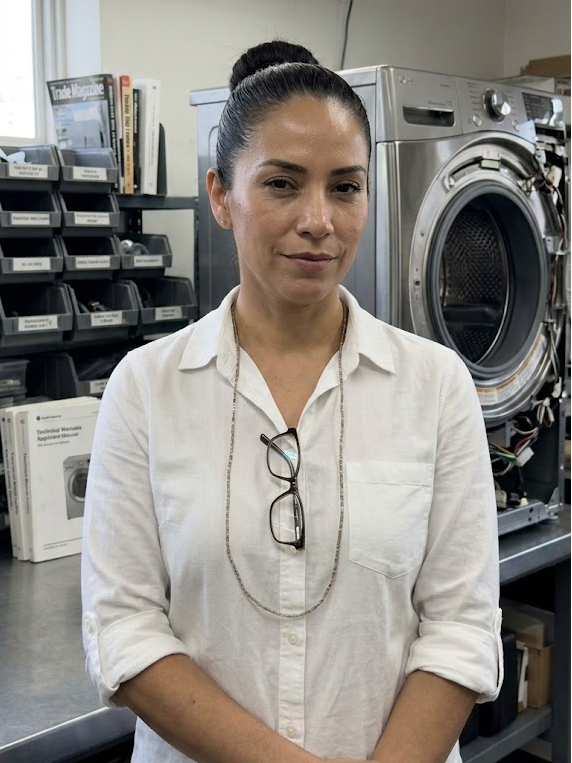
Maria Solano
Former appliance warranty claims adjuster turned investigative repair journalist. Maria's 'What Went Wrong' teardown series has made her the most feared woman in the white-goods industry.

I've been on both sides of this counter. As a warranty claims adjuster, I reviewed thousands of service reports. As a journalist covering the repair industry, I've ridden along on service calls with experienced techs. The pattern is consistent: the service calls that go smoothly, finish on time, and result in a happy customer are the ones where the homeowner prepared. The calls that run long, require return visits, and end in frustration are usually the ones where nothing was ready.
This isn't a complaint about customers. Most people have never thought about what a tech needs to do their job efficiently. Here's everything you need to know before your tech arrives.
Before You Book: Know Your Appliance
Find the Model and Serial Number
This single piece of information determines whether a technician can bring the right part on the first visit.
Most appliance technicians use your model number to look up parts before they arrive. If you give a vague description ("it's a big Samsung side-by-side, maybe 5 years old?"), the tech arrives with a guess. If you give the model number, the tech arrives knowing exactly which thermal fuse, inlet valve, or control board fits your machine.
Where to find it:
- Refrigerators: Inside the door frame on the right wall, or on the ceiling of the fresh-food compartment
- Washers: Inside the door, on the back panel, or on the door frame
- Dryers: Inside the door frame or on the rear panel
- Dishwashers: On the door frame, visible when the door is open
- Ranges and ovens: On the frame inside the storage drawer, on the back panel, or inside the oven door
Write both the model number AND the serial number. The serial number encodes the manufacture date, which helps the tech know exactly which parts revision your unit uses (manufacturers change components during a model's production run).
Locate Purchase Documentation
If your appliance is under a manufacturer's warranty (typically 1 year) or an extended warranty, having your purchase receipt, warranty card, or credit card statement saves time on the phone and may change the billing structure for your call.
Don't assume it's out of warranty. Many consumers don't know they have coverage. Check your email for the original purchase confirmation.
The Day Before: Prepare the Space
Clear Access — This Is More Important Than You Think
A refrigerator pushed 3 inches from the wall because of cabinet clearances cannot be serviced from the rear. A dryer blocked by laundry baskets and a full hamper requires the tech to spend 15 minutes clearing the work area. A dishwasher under a granite counter with cabinet doors that won't open fully is a half-day job instead of an hour job.
The day before the service call:
- Pull the appliance away from the wall enough to walk behind it (refrigerators, washers, dryers)
- Clear a 3-foot workspace in front of and beside the appliance
- Move anything stored on top of the appliance
- For dishwashers: make sure the cabinet doors on either side can open fully
- For ranges and ovens: clear the stovetop and remove any items from the oven
The technician will respect your home. They won't complain about access. But every minute they spend moving your belongings is a minute not spent diagnosing your appliance — and it may mean they can't complete the repair in the scheduled time slot.
For Refrigerators: Prepare for the Possibility of a Longer Repair
Refrigerator service often requires the tech to run the unit through cycles to observe behavior. This can take 30-60 minutes of observation time. If you have food that's already partially compromised (the reason you called), consider moving critical items to a cooler with ice before the appointment. It avoids a conversation about food loss during the service call and lets you focus on the repair.
For Washers: Have a Load Done
If you're calling because the washer won't drain or spin, the tech may need to run a test cycle. The machine should be empty when they arrive. A machine full of wet clothes complicates the diagnostic. Run it through whatever cycle it will complete, even if the result is clothes still wet, so the drum is as empty as possible.
Write Down the Symptoms — Specifically
"It's not working" is not a symptom description. A service tech arriving with "it's not working" has to start from scratch.
What to note:
- What does it do? ("It turns on, the drum spins, but there's no heat" is very different from "it doesn't turn on at all")
- What does it NOT do?
- When did it start?
- Did anything happen right before it stopped working? (Load of laundry right before? Power outage? New appliance installed nearby?)
- Any error codes or unusual displays?
- Any unusual sounds, smells, or visible changes?
- How frequently does the symptom occur — every time, intermittently, only under certain conditions?
Intermittent failures are the hardest to diagnose. A refrigerator that's "sometimes not cold enough" might only show its failure under specific conditions (full load, door opened frequently, after a warm outdoor day). If the symptom is intermittent, describe exactly when it happens. A tech can't test for a condition they don't know about.
Take a video of the symptom if you can. If the dryer makes a grinding noise on the first 5 minutes then stops, video it. If an error code appears and clears, photograph the display. Techs diagnose based on evidence, and evidence that disappeared before they arrived is frustrating for everyone. A 10-second video of the exact symptom has saved hours of diagnostic time.


Understand the Diagnostic Fee
Diagnostic fees are standard across the professional appliance repair industry in Southern California. Expect $75-125 for the initial visit. Here's what that covers and how it works:
What the fee covers: The technician's travel time, fuel, and the time to diagnose the problem. A proper diagnosis often requires 20-45 minutes of testing, measurement, and observation. That time has value.
How it applies to repairs: In most shops, the diagnostic fee is credited toward the repair if you approve the work. You're not paying double — you're paying a trip charge that becomes part of your repair cost.
If you decline the repair: You pay the diagnostic fee. This is fair. The tech drove to your home and spent time identifying the problem. That time has value regardless of whether you proceed.
What a diagnostic fee does NOT cover: Parts, follow-up labor, or return visits. If the tech diagnoses a failed control board, quotes you $350 for parts and labor, and you approve it, the diagnostic fee ($100) is typically applied toward that $350. You pay $350 total, not $450.
Understanding this upfront prevents misunderstandings when the invoice arrives. See our pricing guide for appliance repair in Southern California for full rate ranges by repair type.
The Question of DIY Before the Tech Arrives
What's Fine to Do
- Reset the circuit breaker and check that it trips fully off and back on (one leg of a double breaker can trip while appearing to be on)
- Clean the lint filter on the dryer
- Clean the dishwasher filter (accessible in the bottom of the tub)
- Clear the drain pump filter on front-load washers (the small access panel at the bottom front)
- Check that the water supply valve behind the washer or refrigerator is fully open
These are maintenance items. They sometimes resolve the problem entirely, and if they don't, they give the tech useful information (filter was clogged, now it's clean, problem persists).
What to Avoid
- Do not disassemble any major components — panels, drum, motor mounts, control boards
- Do not attempt to repair wiring unless you are qualified and know exactly what you're doing
- Do not add refrigerant, water, or any substance to an appliance
- Do not use a damaged appliance that may be safety-compromised (burnt wiring smell, gas odor, water near electrical components)
A tech arriving to a disassembled appliance with missing screws and loose wires has to first figure out the original configuration before they can diagnose. That's time you're paying for. And if you've inadvertently changed something during disassembly, it can mask the original fault or introduce new ones.
The decision of whether to repair at all is worth making deliberately. Our appliance repair vs. replace guide walks through the framework — knowing your answer before the tech arrives means you won't be making a major purchase decision on the spot.
The Appointment Window: Be Present
Appointment windows in appliance repair are typically 2-4 hours. Techs optimize routes and can usually give you a narrower time estimate when they're en route. Being present — or having an adult present — for the full window is important.
A tech who arrives and can't access the home will not wait. They have a full route. You'll be rescheduled, and you may still be charged a trip fee depending on the shop's policy.
If you can't be present the entire window, let the shop know when you book. Some shops can accommodate a lockbox or key drop arrangement for trusted customers. Some cannot. Ask upfront rather than leaving a tech standing at your door.
After the Diagnostic: What the Tech Tells You
When the tech completes the diagnosis, they should give you:
- What failed and why (component name, approximate cause)
- What the repair involves (parts needed, estimated time)
- A quote — parts + labor, with the diagnostic fee applied if it is
You have the right to ask questions. You have the right to get a second opinion. You have the right to decline the repair.
What's not appropriate: asking the tech to identify the problem in detail and then using that information to source parts and do the repair yourself without compensating them for the diagnostic. That's a use of professional expertise without compensation. Most shops build this into their diagnostic fee policies — the diagnosis belongs to you, and some explicitly charge a "diagnosis only" fee that is not applied to a future repair.
Ask your shop how they handle this if it's relevant to your situation. Most techs are reasonable about it when asked directly and in advance.
A well-prepared service call goes faster, costs less, and results in a first-visit repair more often. The ten minutes you spend before the appointment pays dividends in a smoother, cheaper outcome.
What information should I have ready before a service tech arrives?▾
Have the appliance model number and serial number written down. These are on a sticker inside the door frame, on the back of the unit, or in the upper corner of the compartment. Also note the date of purchase if available, a clear description of the symptom (what it does and doesn't do, when it started, any error codes shown), and whether the appliance is under any manufacturer or extended warranty.
What is a diagnostic fee and is it refundable?▾
A diagnostic fee is a flat charge for the technician to identify the problem — typically $75-125 in Southern California. Most shops apply the diagnostic fee toward the repair cost if you proceed with service. If you decline the repair, you pay the diagnostic fee without credit. This is standard industry practice and covers the tech's time and travel for the trip. Confirming this policy when you book avoids surprises on the invoice.
Should I try to fix the appliance myself before calling a tech?▾
Basic maintenance is fine: clean the lint filter, clear the drain pump filter on a front-load washer, check the circuit breaker. Stop before disassembling any major components. A tech arriving to find a partially disassembled appliance with missing screws and disconnected wires needs extra time to assess the original configuration before they can diagnose the problem. That time costs you money and may cause the repair to spill into a second visit.
Need a repair professional?
Get free quotes from verified technicians in your area.
Find a Pro Near You